
Walk Your Bar. Count Bottle by Bottle.
Set your bottle order once. Then every count is just walking down the shelf in order, measuring each one. Voice, Bluetooth scale, or AI camera — same simple flow.
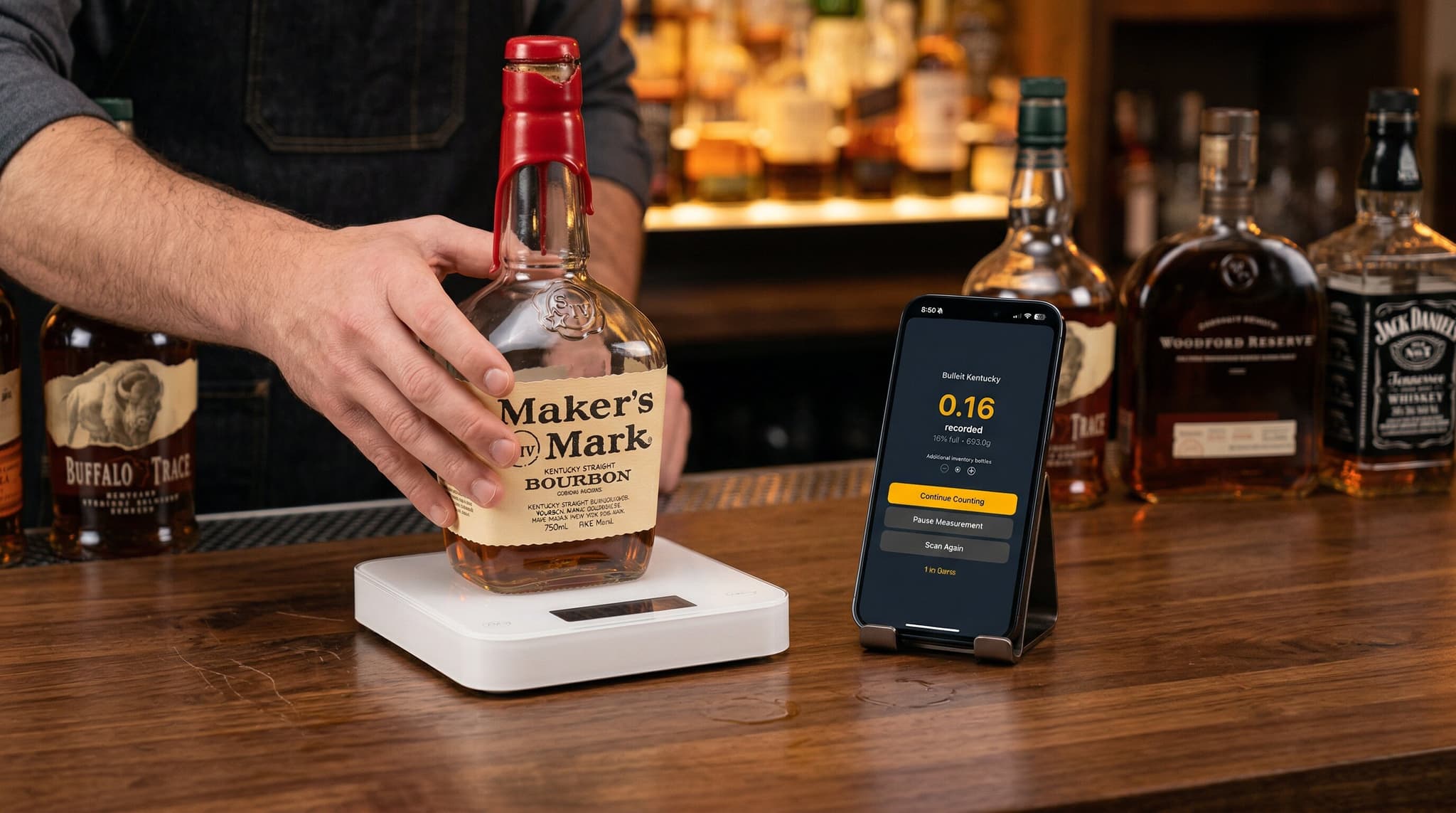
How Sequential Counting Works
Three steps. Same flow for voice, scale, and AI camera.
Set Your Bottle Order Once
Open an Area, tap the three-line icon, and drag bottles to match your physical shelf. You only do this once per Area.
Start a Count and Pick Your Method
Tap Start Count. Pick voice, Bluetooth scale, or AI camera. The bottle-by-bottle flow is identical for all three.
Walk the Shelf and Measure
The app shows the bottle name and your position (Bottle 12 of 47), then prompts you to measure. Done? Tap next. Anything skipped is flagged before you save.
Drag Bottles Into Shelf Order
Two taps to reorder an Area. Set it once, and every count walks bottles in that exact sequence.
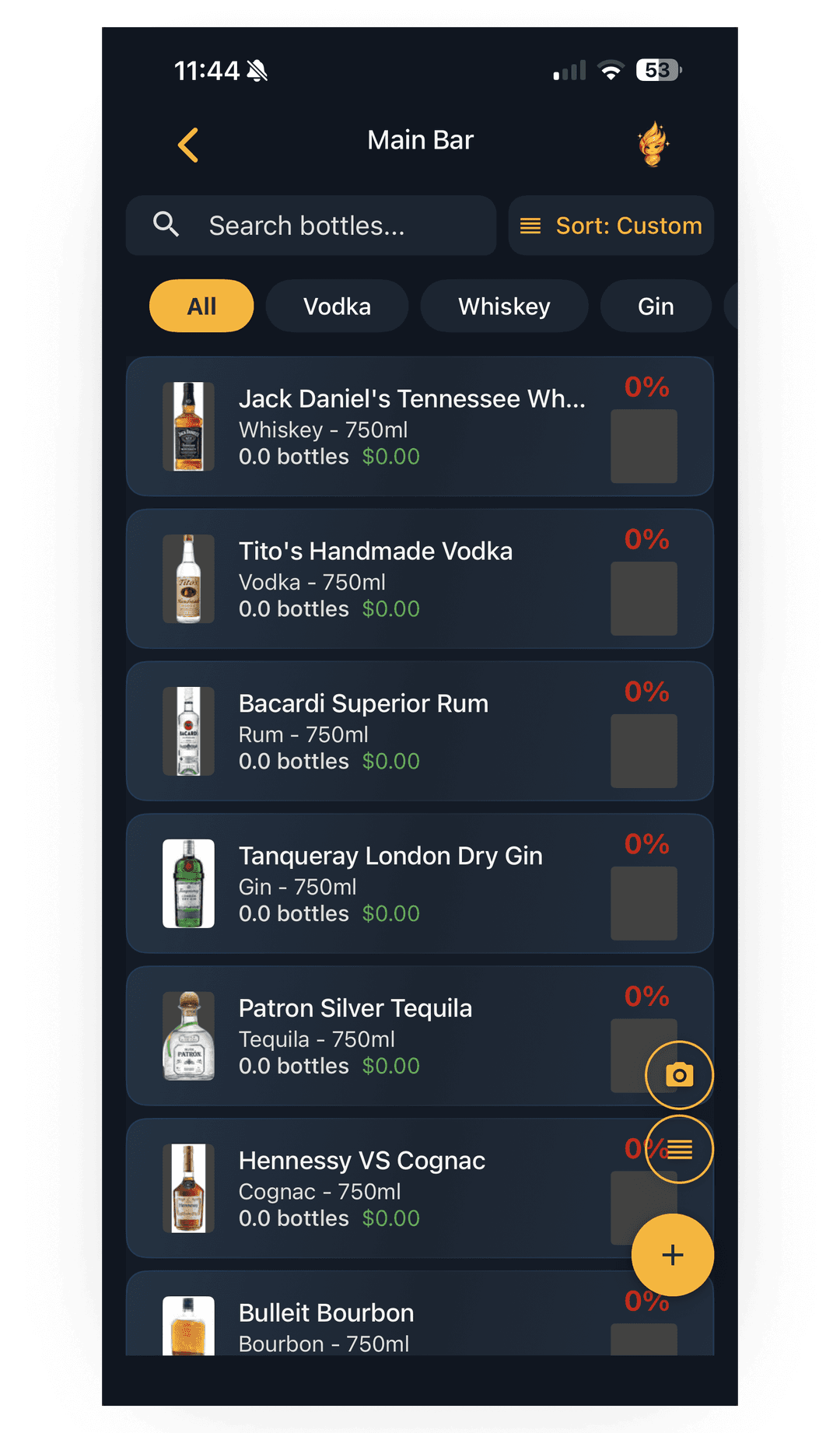
Tap the three-line icon
Open the Area you want to reorder and tap the three horizontal lines in the top right to enter edit mode.
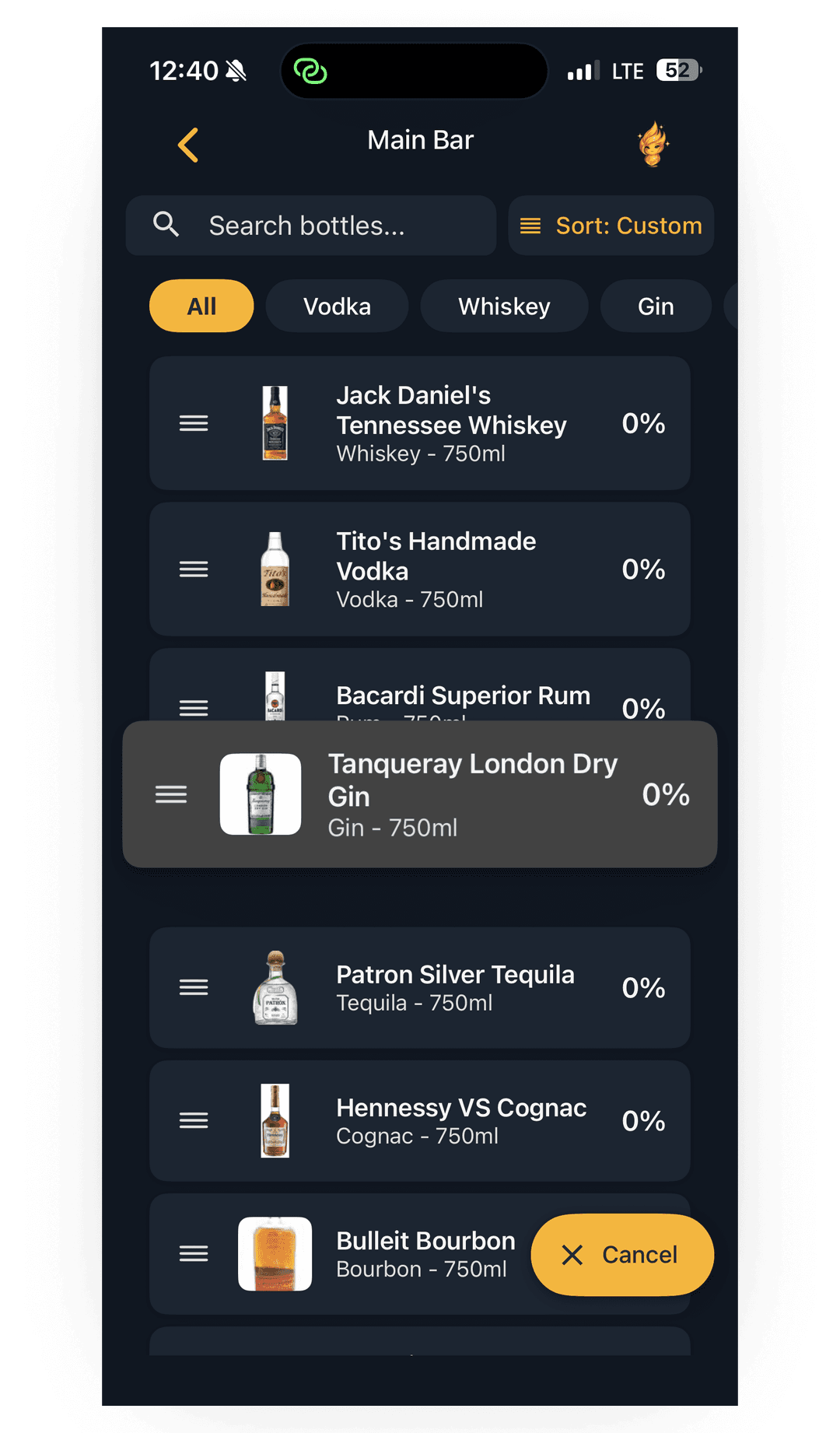
Drag bottles into order
Press the handle on a bottle and drag it up or down to match your physical shelf. Drop and you're done.
Big shelf? Skip the dragging.
Photo Arrange (Teams plan) sets your bottle order automatically from a photo of your shelf. AI reads each label and lines them up in the right sequence.
See how Photo Arrange worksWhat Happens During a Count
Once you start a count, the app drives. You walk the shelf and measure each bottle as it appears.
Bottle name + position
Every prompt shows the bottle name (e.g. Tanqueray London Dry) and where you are in the Area (e.g. Bottle 12 of 47). No guessing what's next.
Measure with your method
Place the bottle on the scale, say the level out loud, or snap a photo. The app captures it and advances to the next bottle automatically.
Skipped bottles flagged
When you reach the end, the app lists any bottles that weren't counted. Finish them before saving so nothing slips through.
Why Sequential Counting Beats Random Scanning
Barcode scanning makes you find each bottle. Sequential Counting lets the app drive the order so you just measure.
No Searching for the Next Bottle
The app tells you what is next. Move down the shelf in order without scanning a barcode or hunting through a list.
No Missed Bottles
Every bottle in the Area is tracked. At the end, the app shows you anything that was skipped so you can finish before saving.
Train New Staff in Minutes
Anyone can take inventory. The app drives the order, so a new bartender can run a count on day one without memorizing your shelf.
Works with Voice, Scale, or AI
Pick how you want to measure. Voice for speed, Bluetooth scale for partial bottles, AI camera for visual counts. Same flow either way.
One Flow. Three Ways to Measure.
Pick the method that fits each Area. The Sequential Counting flow is identical.
Bluetooth Scale
Place each bottle on the scale. The app captures the weight automatically. Most accurate for partial bottles.
Scale inventoryAI Camera
Snap a photo of each bottle. The AI reads the fill level. Great when your hands are busy.
AI photo analysisFrequently Asked Questions
Sequential Counting walks your team through every bottle in an Area, one at a time, in the order you set. The app shows the bottle name, your position ("Bottle 12 of 47"), and prompts you to measure. It works with voice counting, Bluetooth scale weighing, and AI photo analysis.
Open any Area in the app and arrange your bottles to match your physical shelf. You can drag to reorder manually, or use Photo Arrange (Teams plan) to set the order automatically by photographing your shelf.
Lixor tracks every bottle in the Area. When you finish, the app shows you any bottles that weren't counted so you can finish them before saving. Nothing slips through.
Yes. Pick scale as your method when you start a count. The app walks you bottle by bottle, prompts you to place each one on the scale, and records the weight automatically. No barcode scanning needed during the count.
Once a count is started, the order is locked in for that count to keep your data clean. To change the order, finish the current count, rearrange the Area, and start a new one. The new order will be used next time.
Mark it as zero or remove it from the Area before starting your count. If you discover it mid-count, finish the count and clean up the Area afterwards so future counts skip it.
Barcode scanning makes you find each bottle, scan it, then move on — there's no defined order, and missed bottles are easy. Sequential Counting flips it: the app drives the order, you just walk and measure. Faster, harder to mess up, easier to train new staff on.
Sequential Counting is included on every plan, including the 14-day free trial. Voice counting and Bluetooth scale support are on all plans. AI photo analysis (Photo Arrange) is on Teams ($129/month) and Premium ($219/month).